Assuming you do not have password to the switch to allow you to run the ‘delete flash:startup-config’ command here is the how you factory reset the switch.
Connect a console cable to the switch, power on the switch, and when prompted press ‘Control-C’
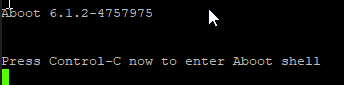
Pressing ‘Control-C’ will drop you into Aboot which is Arista’s bootloader for the switches. Once here type ‘help’ to see the available commands.
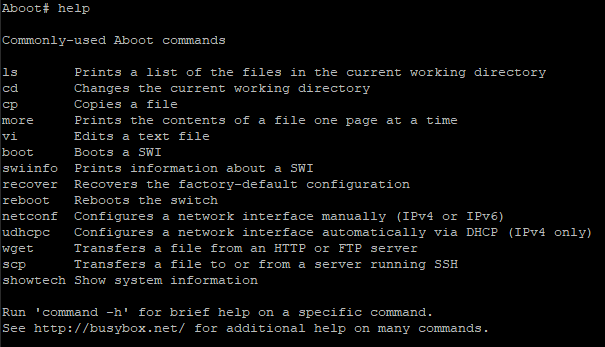
You’ll notice a lot of Linux commands. That’s good, were going to use them.
First you need to change directories into /mnt/flash/ then from there you can delete the startup configuration.
Aboot# cd /mnt/flash
Aboot# rm startup-config
Aboot# exit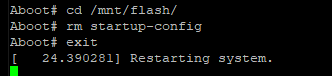
The switch will now reboot with a factory default configuration.
 Work, and stuff